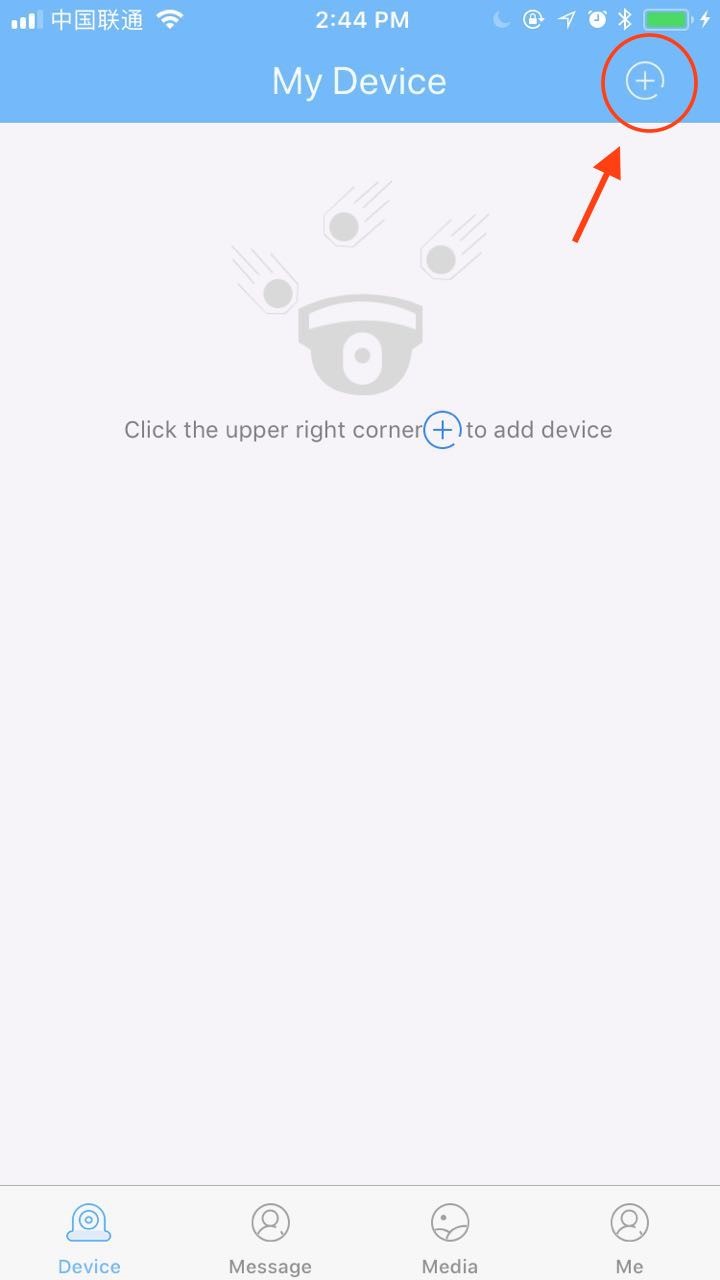
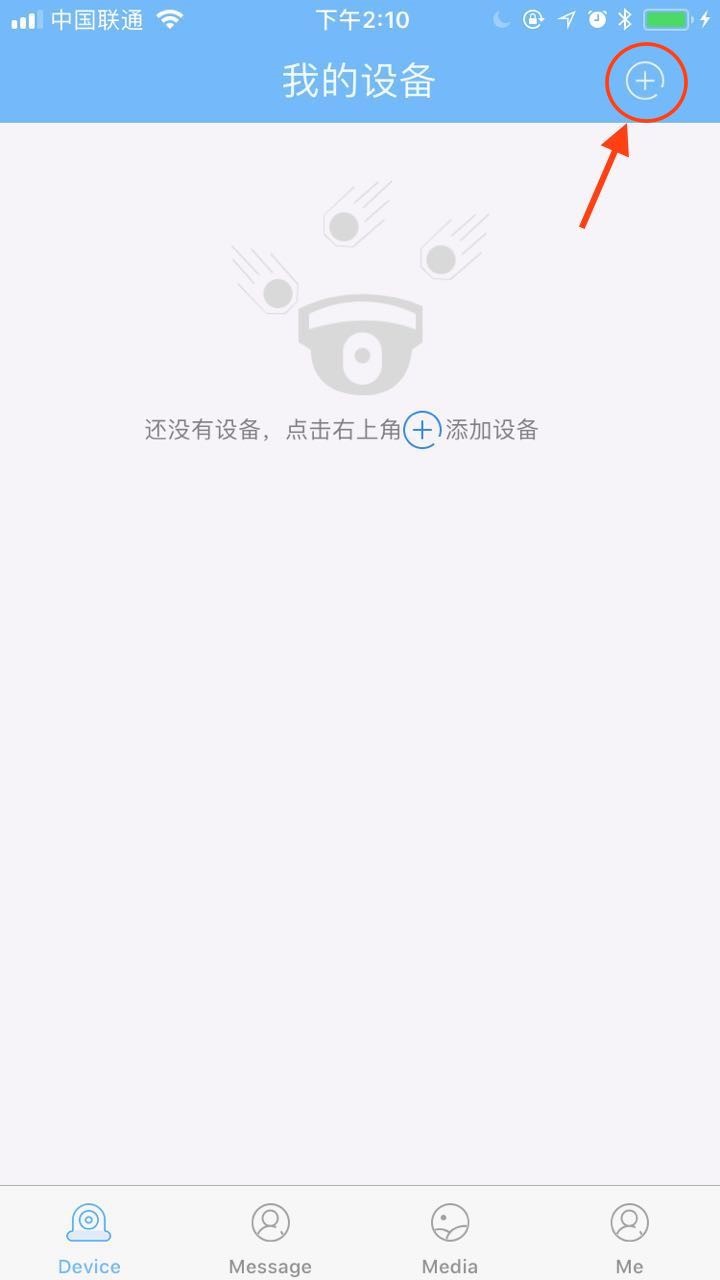
(1) Click the "+" button to enter the add device page
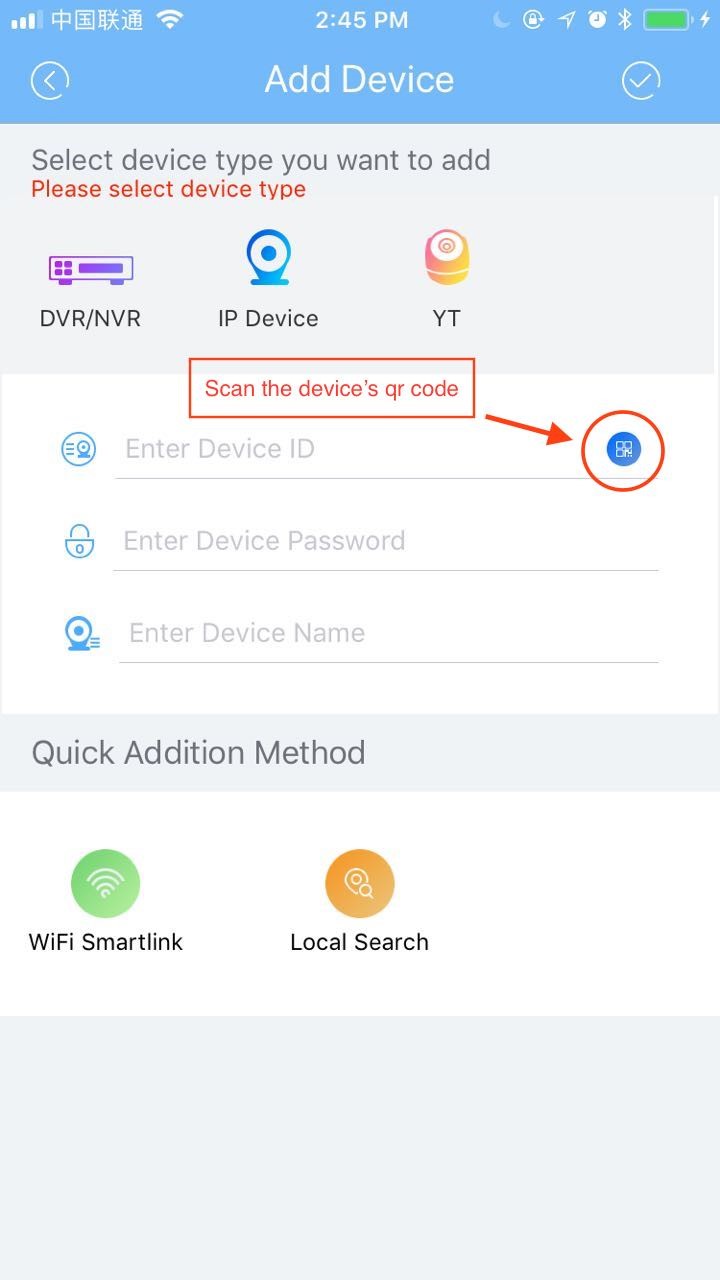
(2) Click “little icon” to scan the device qr code to get the device UID
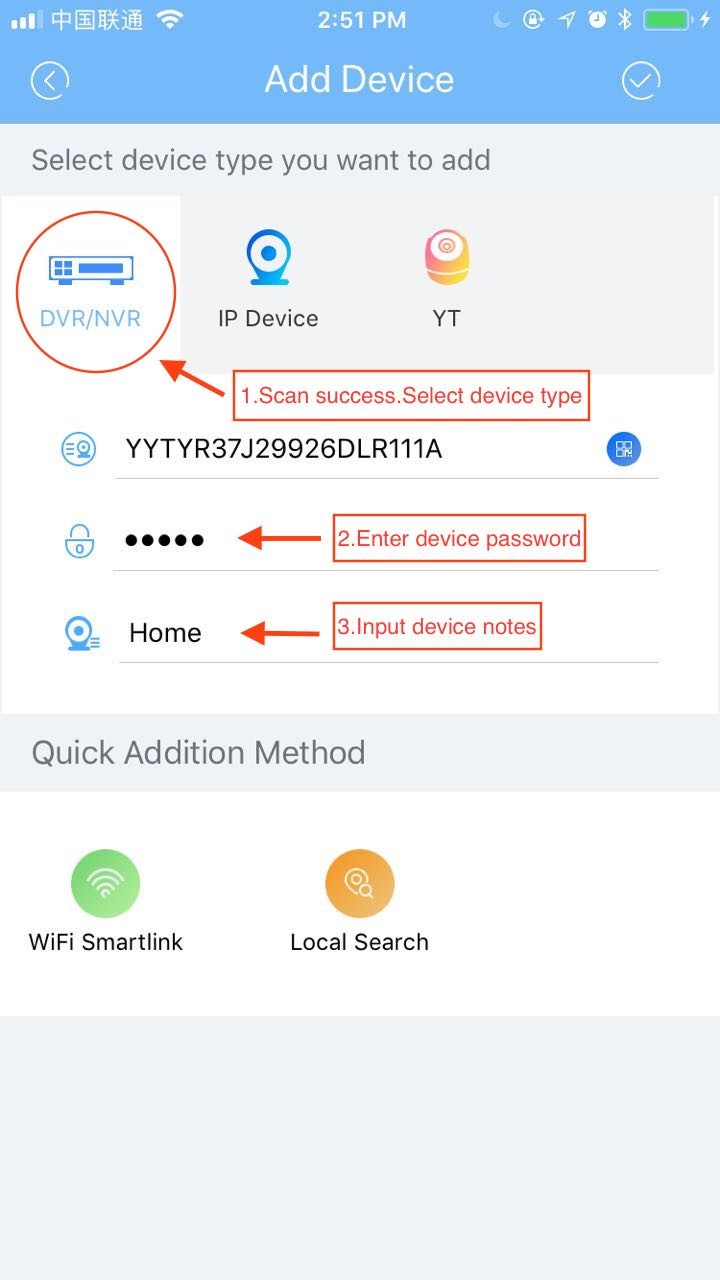
(3) Select the DVR device and enter the device password and device name
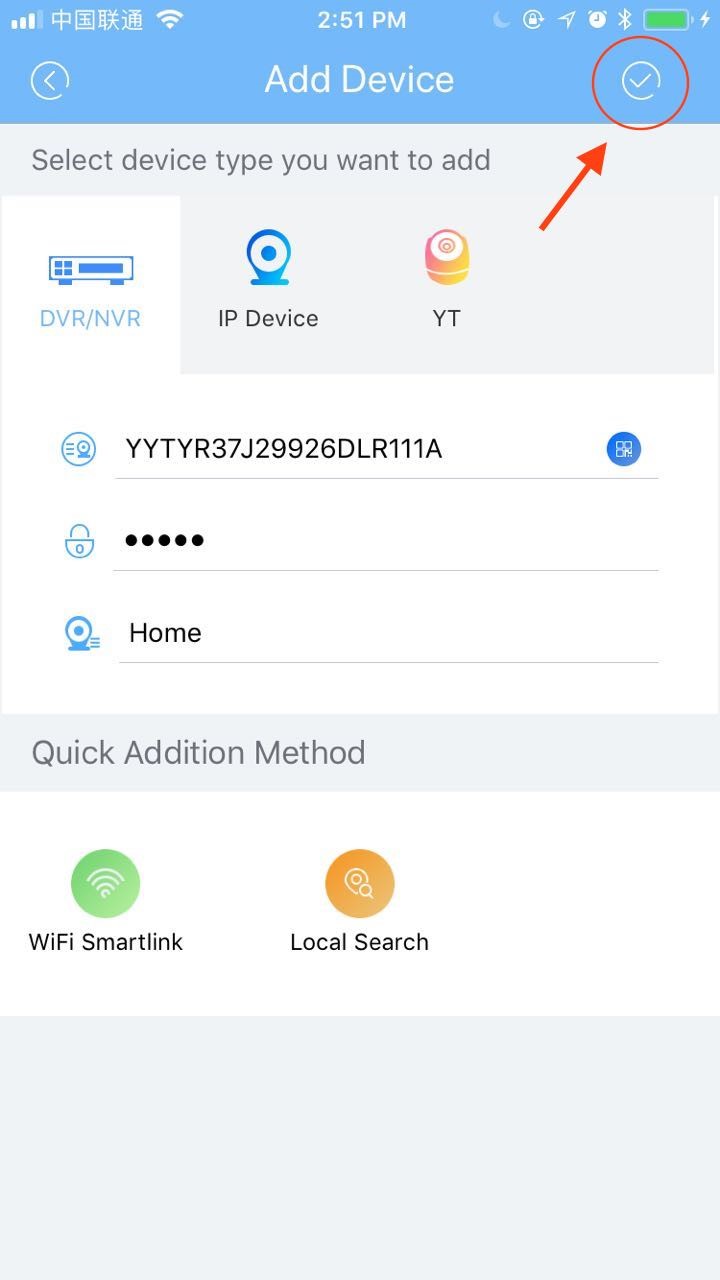
(4) Finally, click the add device button
(1) The device is not added for the first time / Equipment not reset:
As with adding a DVR device, see "1.How to add a DVR device?"
(2) Add the device for the first time / Equipment reset:
a) Click the "+" button to enter the add device page
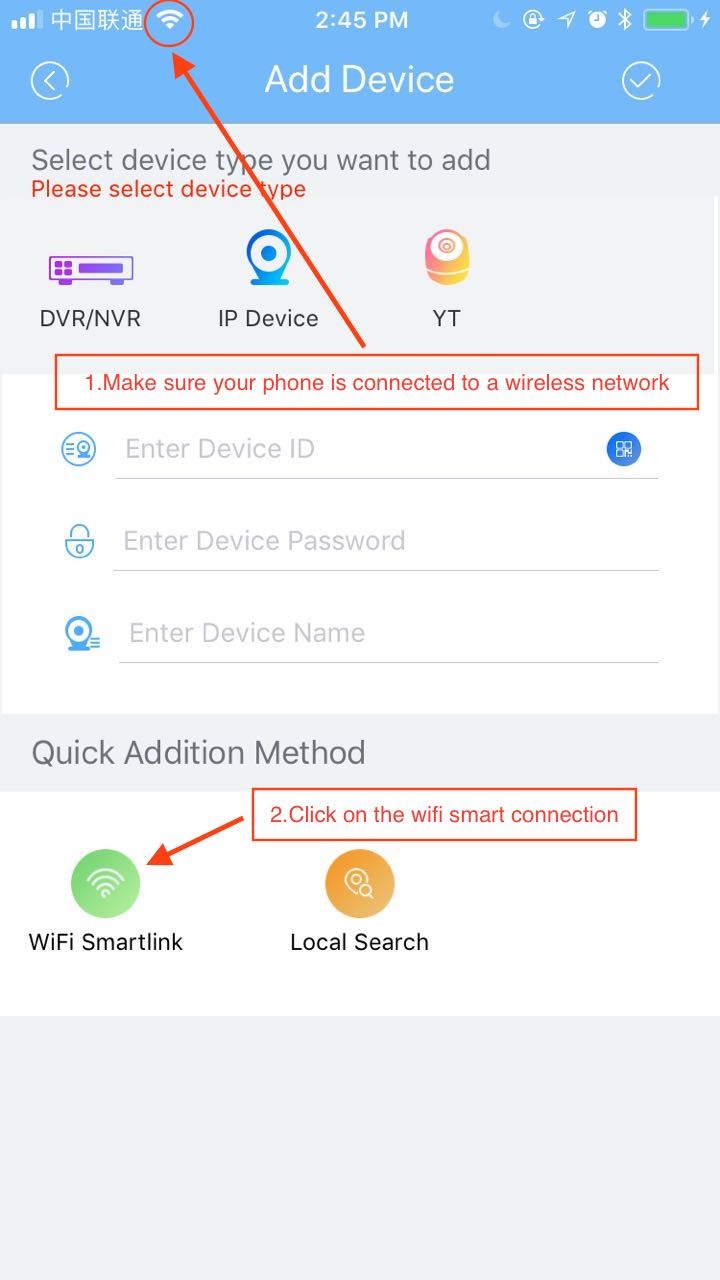
b) Make sure your phone is connected to the wireless network. Click the WIFI smart link button to enter the WIFI smart connection page
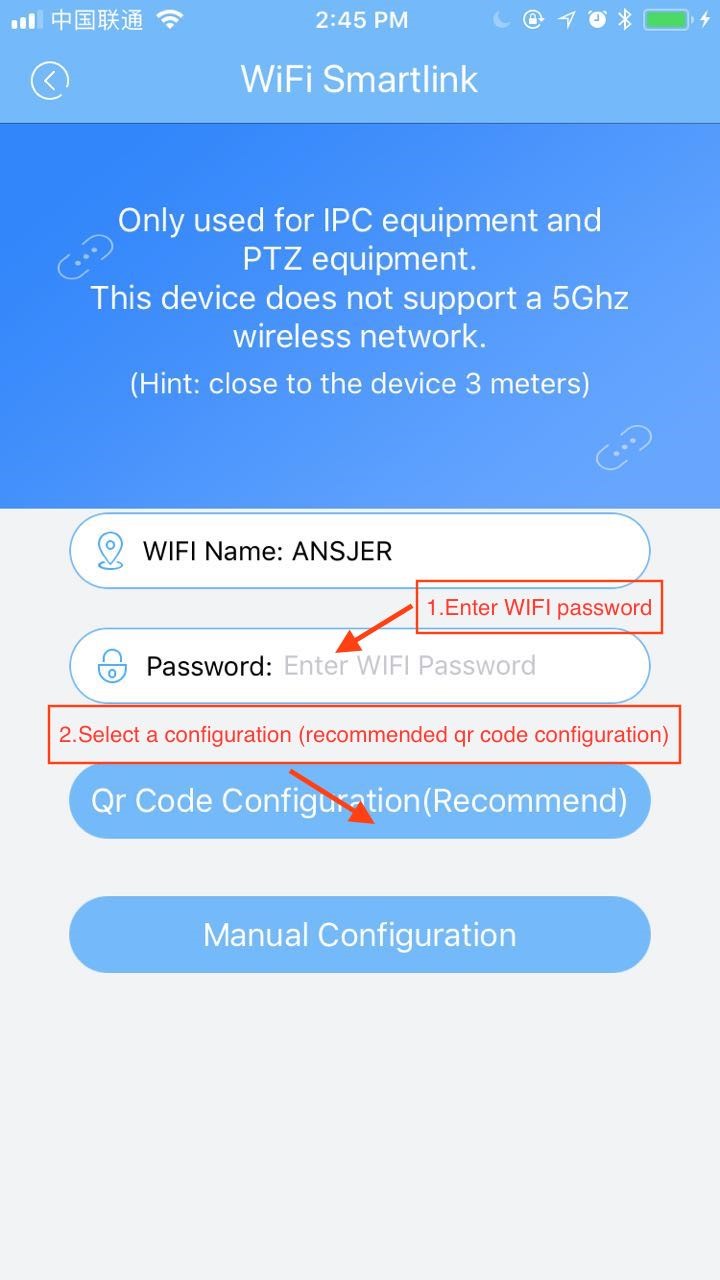
c) Enter the WIFI password and click the qr code configuration button to enter the voice prompt page
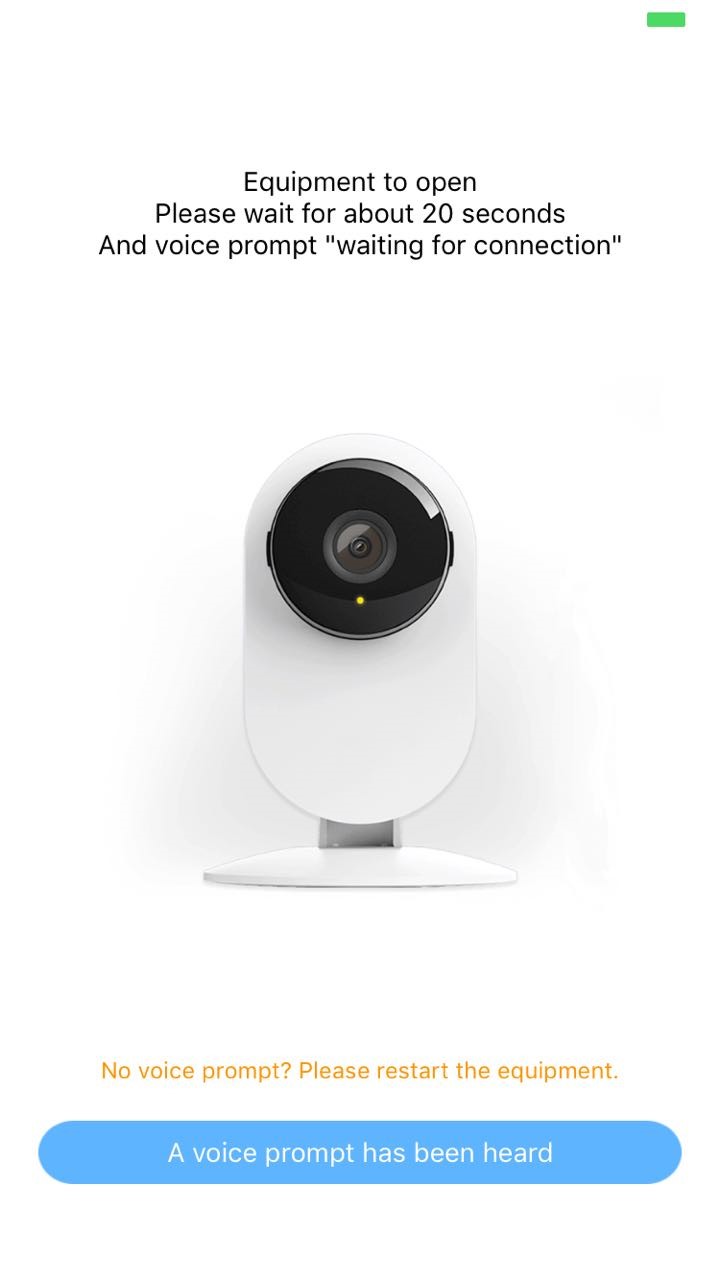
d) Wait for the voice prompt and follow the voice prompt
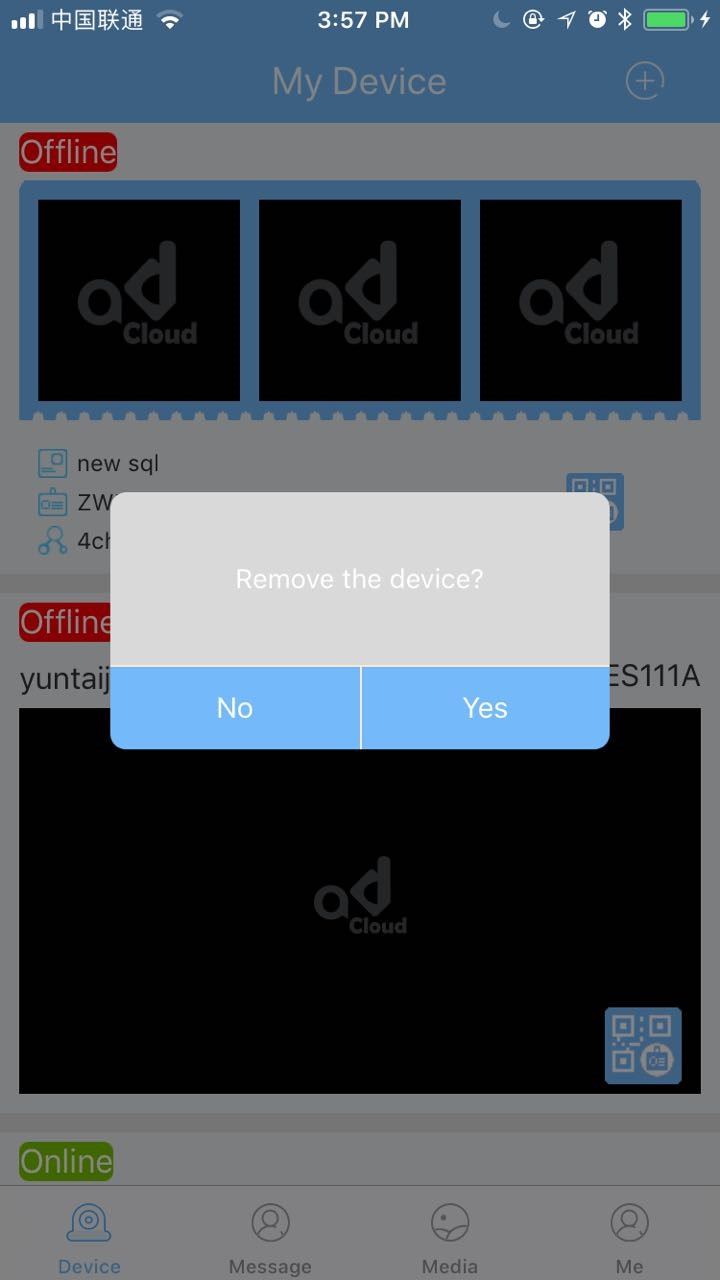
(1) The first way:My device page, as long as necessary to delete the device,as prompted to delete
(2) The second way:
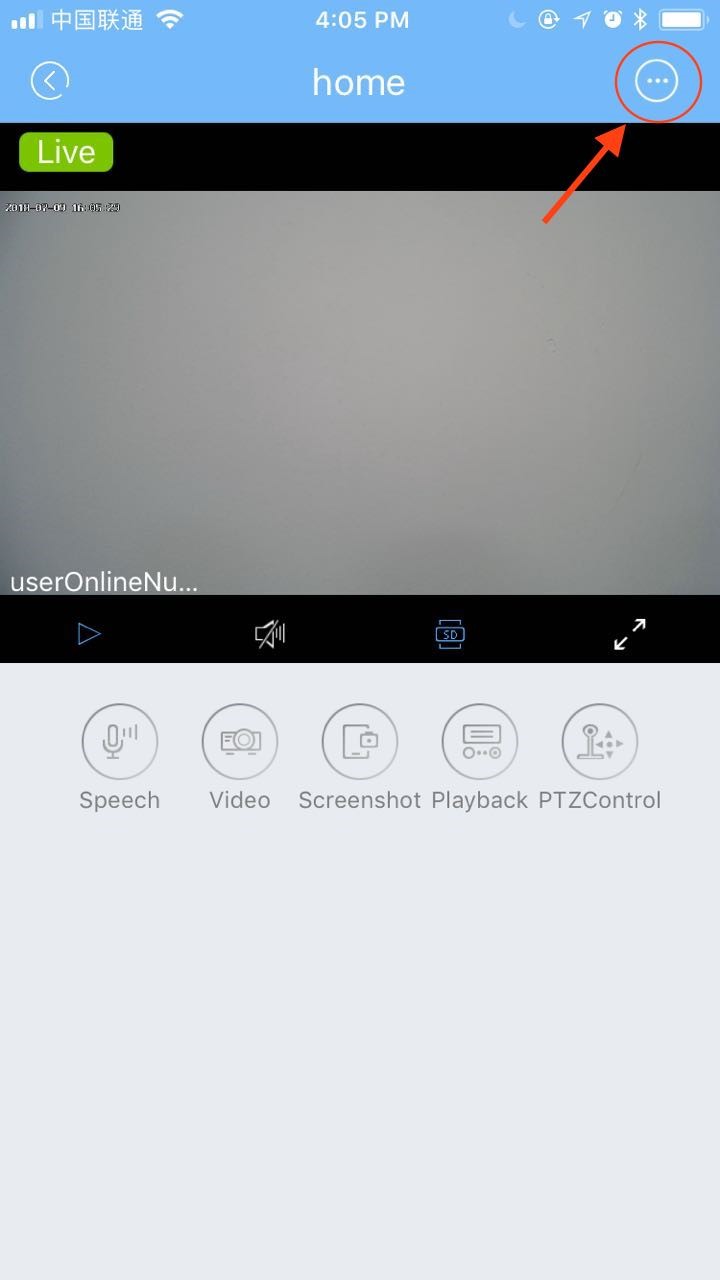
a) Click "... "in the upper right corner of the device's online play page.Button to enter the device Settings page
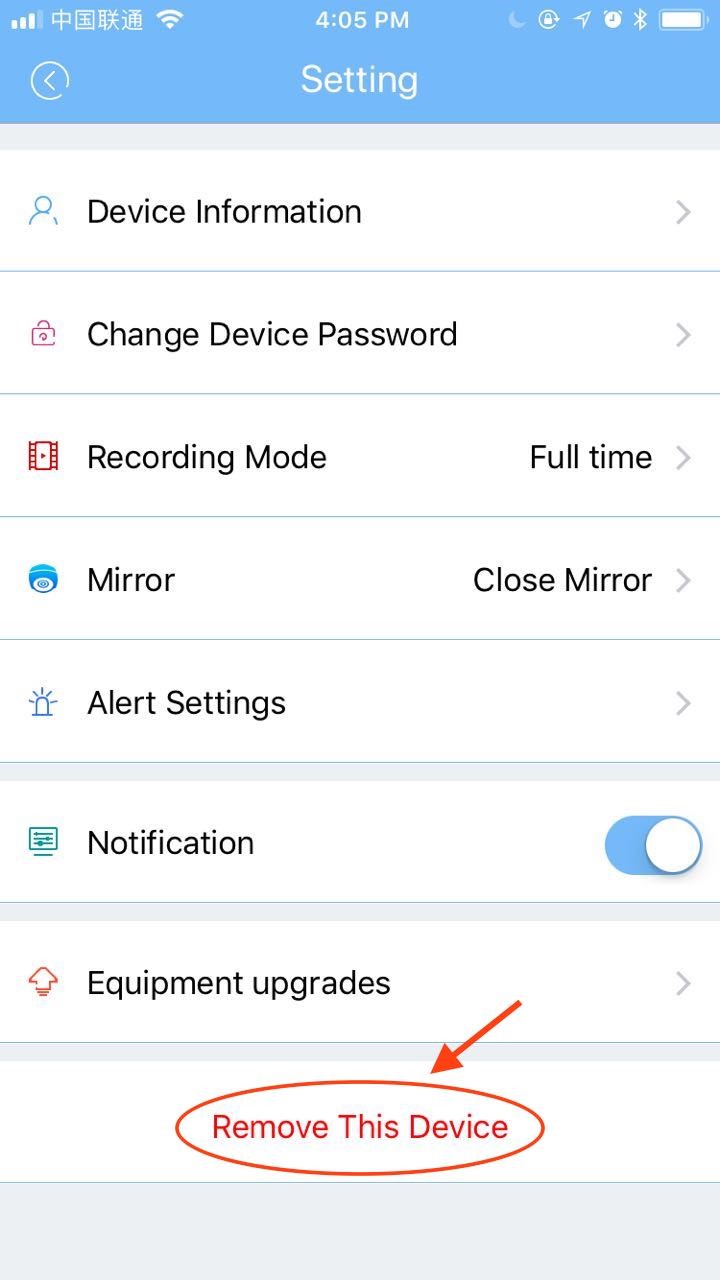
b) On the device setting page, click the "delete device" button to delete it